
School technology
under control
CampusKeep makes it easier for schools to manage their technology — keeping devices, users and locations organised in one simple platform.
What is CampusKeep?
Your school's technology.
All in one place.
CampusKeep is a simple inventory for school IT. It replaces scattered spreadsheets with one shared record, so every device can be identified, located and looked after by the people responsible for it.
Devices
Laptops, iPads, desktops and every other piece of equipment, each with its own record.
Locations
Every site, building and room your school uses, set up for your own campus.
People
Who each device is assigned to, and which colleagues can help keep the record up to date.


How CampusKeep helps
Simple answers to the questions that matter.
Know what you have
Keep an organised record of your school's devices and equipment.
Know where it is
Find out where technology is located across your school.
Know who has it
Keep track of assignments and responsibilities.
The real application
Simple to use. Easy to keep organised.
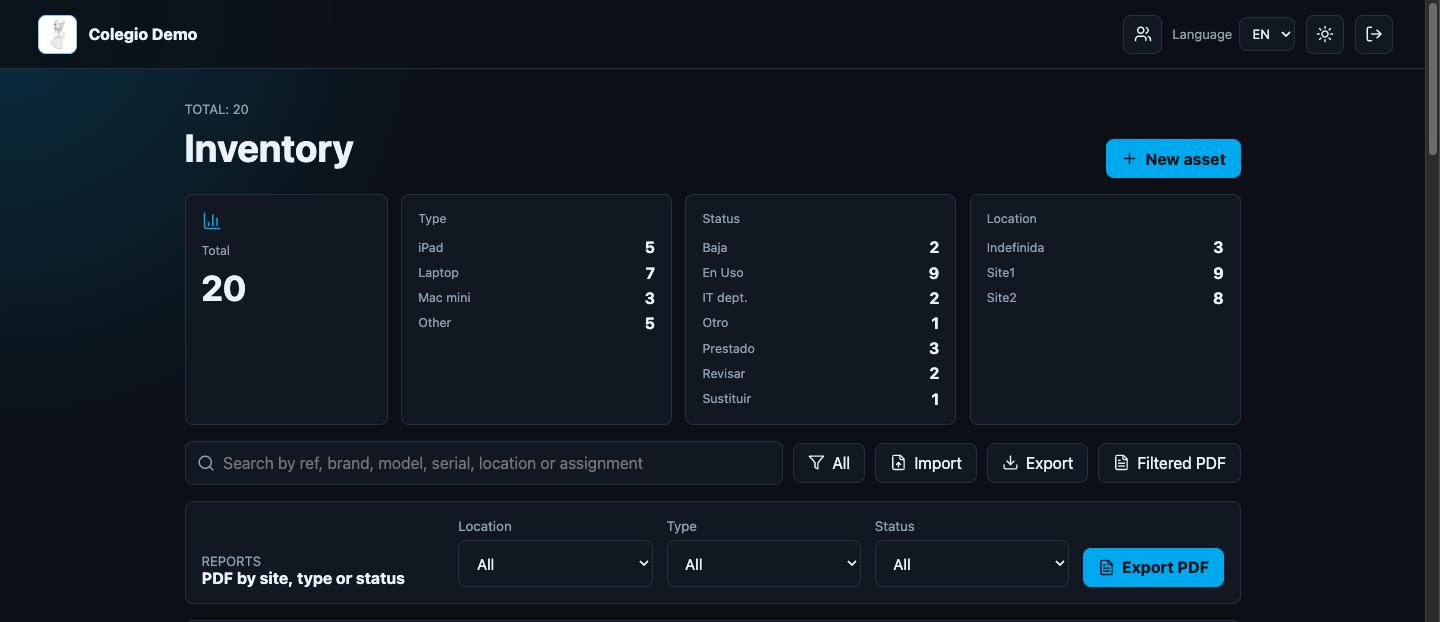
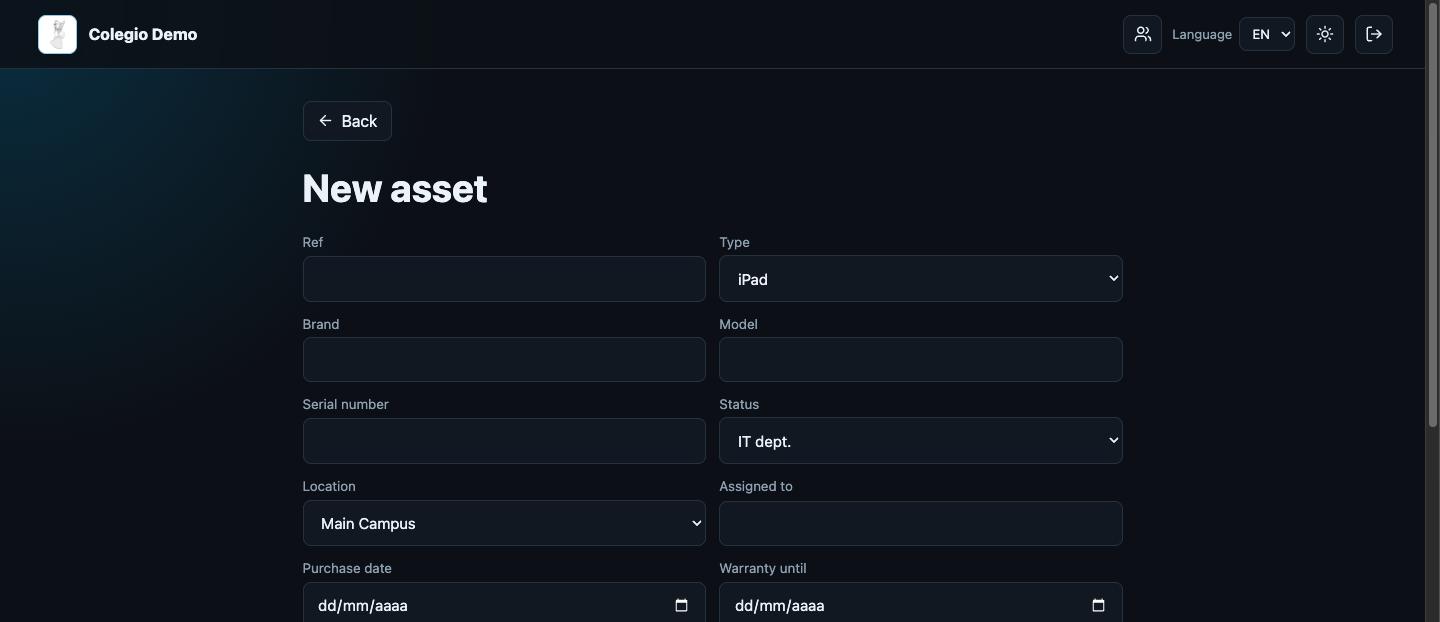
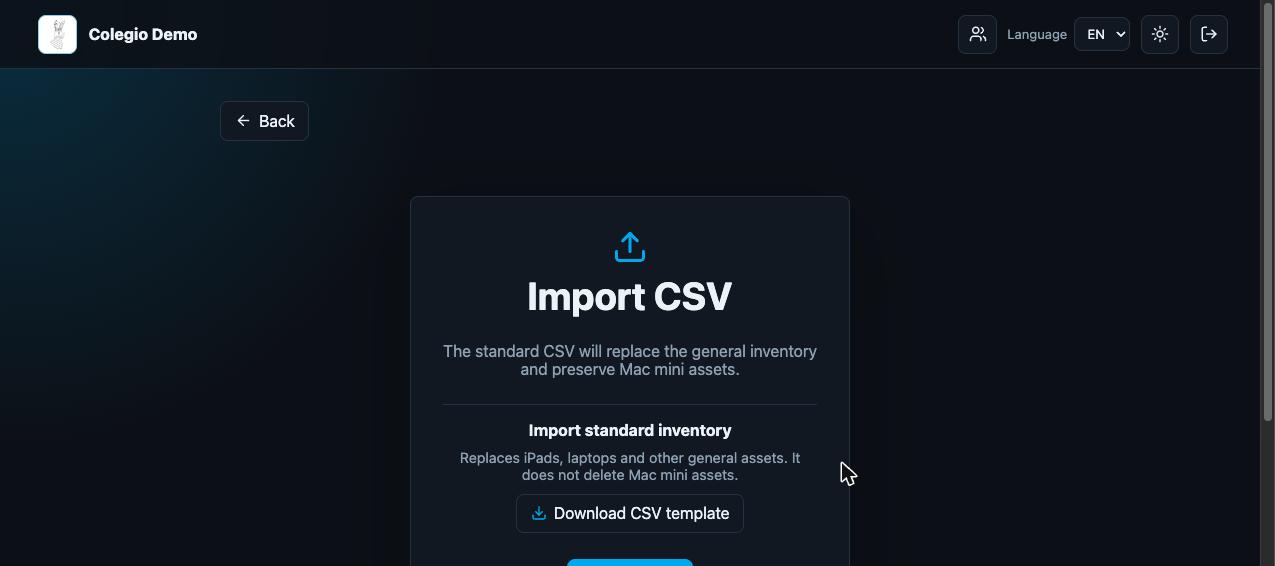
These are screens from CampusKeep itself, filled with a demonstration school.
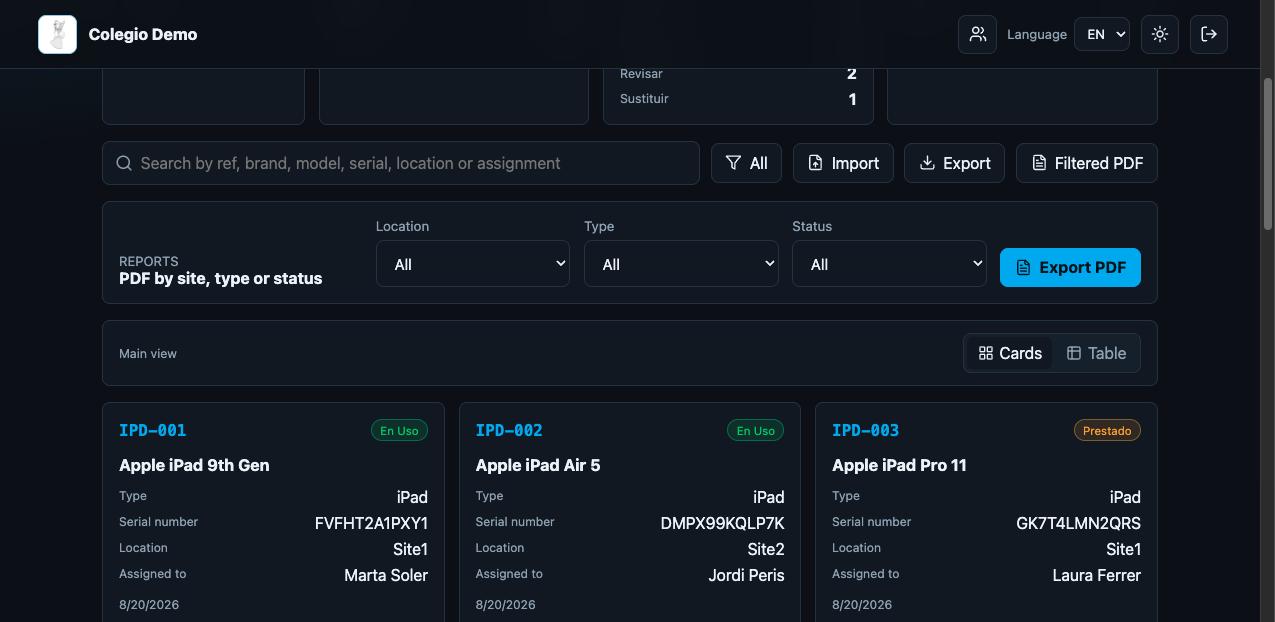
Search and filter every device, then export a PDF report by location, type or status.

Less time managing devices. More time supporting learning.
Keep your school's technology organised with CampusKeep.
Log in to CampusKeep